Research overview
Previously, whilst undertaking a series of lab exercises, I’ve explored the scope of emerging technologies and immersive design which the lab exercises I have executed were based around. I’ve explored three types of technologies in the first part of the module through weekly workshop sessions. The first exercise focusing on prototyping an immersive experience through Maya/Blender aiming to create a 360 scene for VR use. The second exercise focusing on Augmented Reality (AR) and immersive user experience and lastly VR Immersive Art.
These are all different types of emerging technologies that all share a common theme in portraying an immersive reality in its own unique way combining technology features that engages the user’s senses.
When undertaking each of the technology exercises, I’ve ensured to undertake some research about each technology to have a clear idea of the different experience, purpose and audience it revolves around. This gives me a clearer pathway to consider which technology I’m going to base my larger project around, especially after getting a feel for different softwares utilised to construct an immersive reality.
Augmented Reality Project
Ultimately, I decided to base my project around Augmented Reality. After experimentation and some research, the theme of Augmented Reality has my best interest out of the technologies explored. In this proposal I’m going to evaluate the reasonings for my chosen theme of Augmented Reality and conduct further research that will help construct my possible ideas into a finalised AR project.
Flexibility
One of the reasons I’ve decided to base my project around Augmented Reality is the flexibility it provides, Augmented Reality is very open in terms of it’s purpose and audience as AR is applied in various everyday aspects such as business, entertainment and training programs.
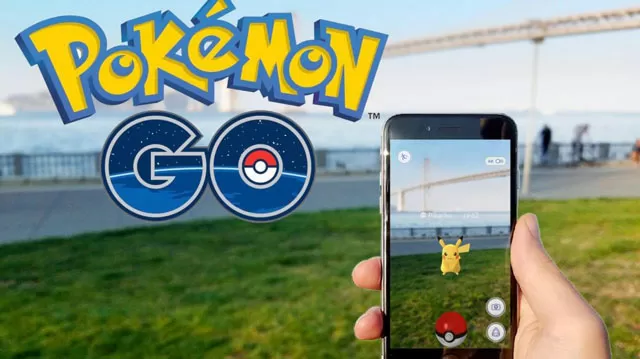
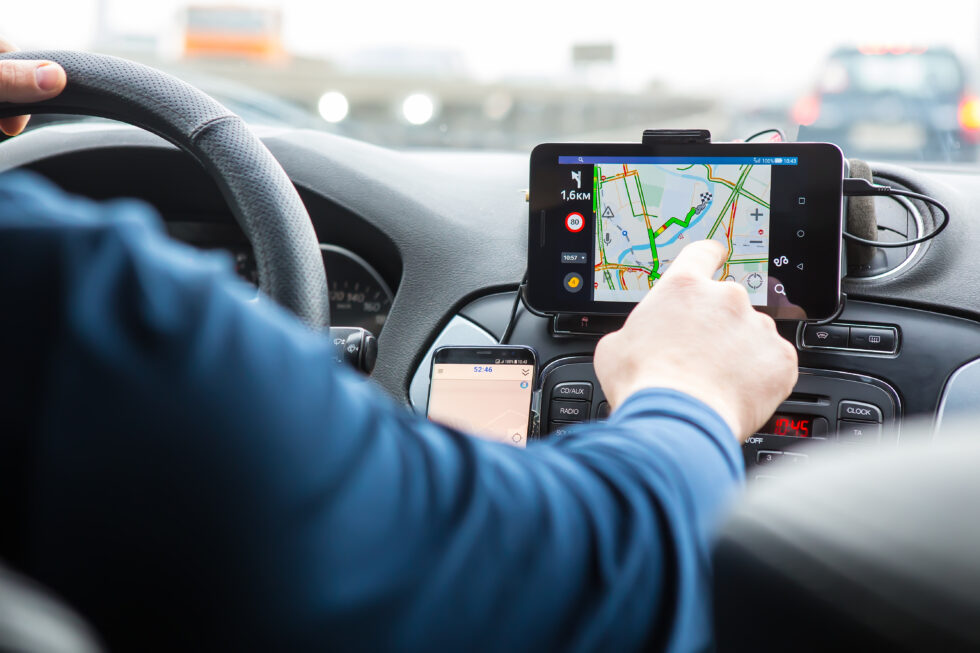
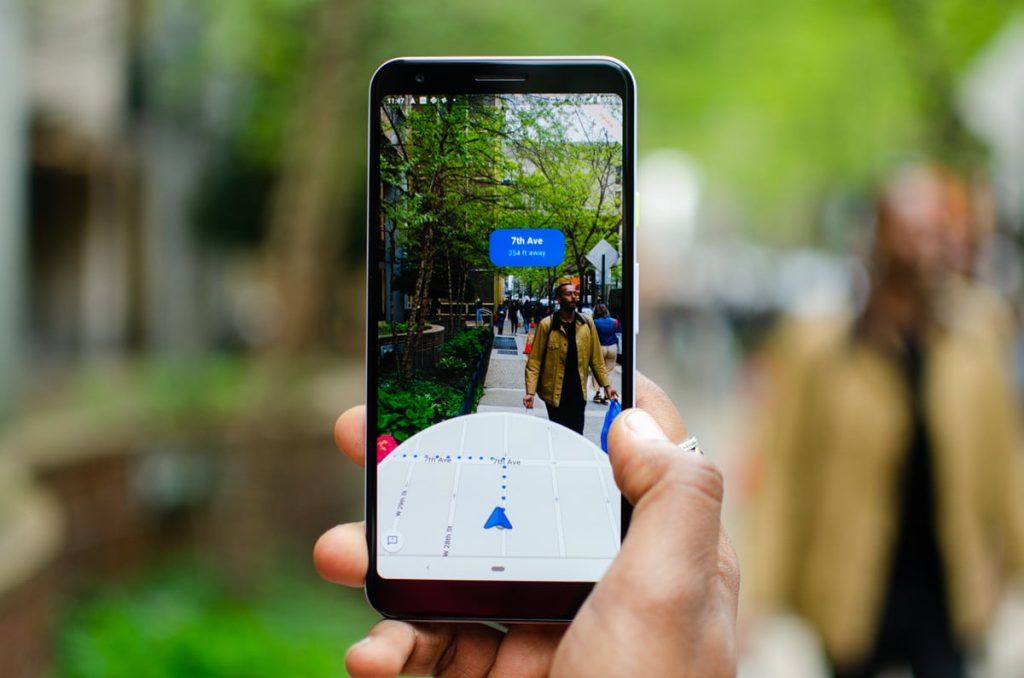
In the first part of the module I’ve discussed the use of AR in GPS and Pokémon Go which shows the flexibility and the different purposes Augmented Reality can be applied to, from being utilised for a useful everyday tool such as Google Maps and GPS to also being utilised as an entertainment tool through applications such mobile games like Pokémon Go. The purpose between the two differs, however on the technical side of things it uses the same idea of location-based AR.
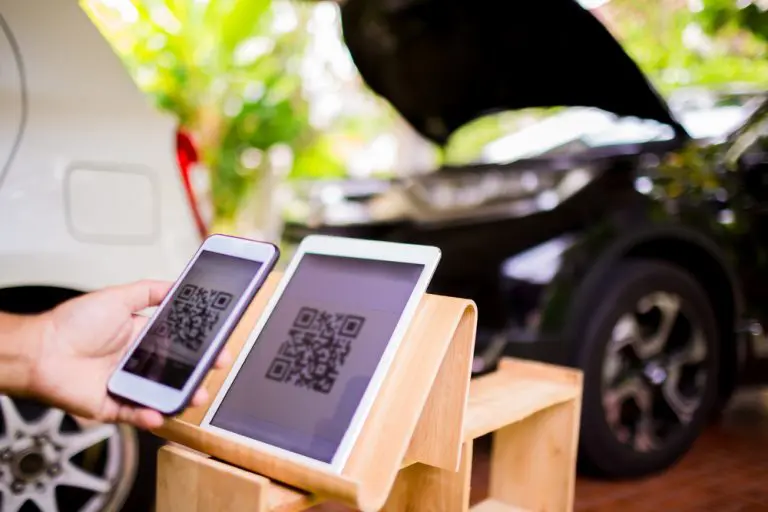
Not only does Augmented Reality use it’s technology for different purposes, but there are different types of Augmented Reality that I can consider incorporating within my project. As discussed in my previous blog there are two main types of AR, one being ‘marker-based’ and the latter being ‘non-marker based’. One requiring an indicator to function, most commonly QR codes whilst the other one doesn’t require any sort of indicator and instead is activated through real time environment where digital elements can be placed through flat surface feature which location-based AR uses, rather than being tied to a marker.
When creating an Augmented Reality project, there are two main aspects to consider, which is the type of AR and it’s application, as they are both very flexible including a variety of approaches you as a developer can take whilst incorporating AR.
Types of Augmented Reality
Location-based AR
Uses real time existing environment to display information such as GPS, Google maps and Pokémon Go.
Projection-Based AR
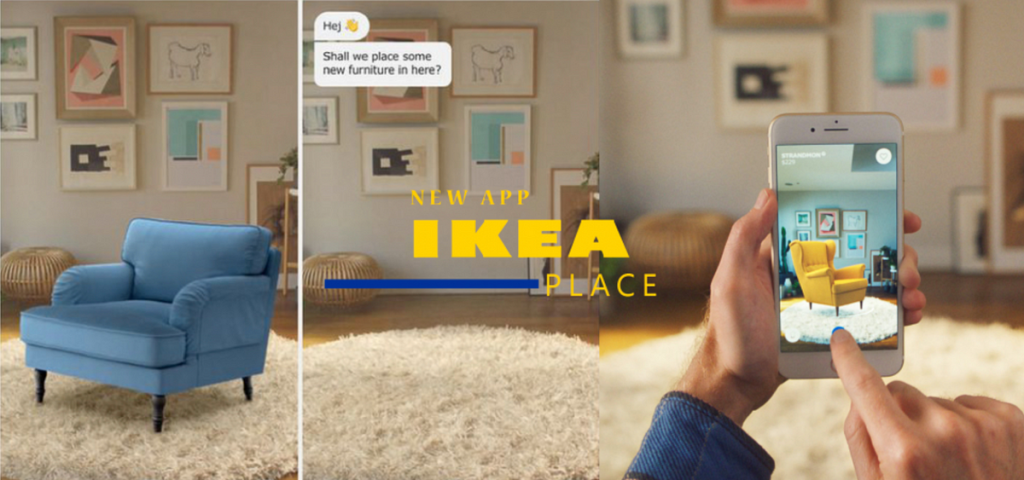
Uses projected images or 3D models that allows users to project through their smartphone camera in designated area. For example, Ikea’s app allows users to place 3D models of their furniture in their room through AR technology. This makes it a very reliable tool for users as it allows them to see how the furniture will fit in their designated space virtually within seconds.
Superimposition-Based AR
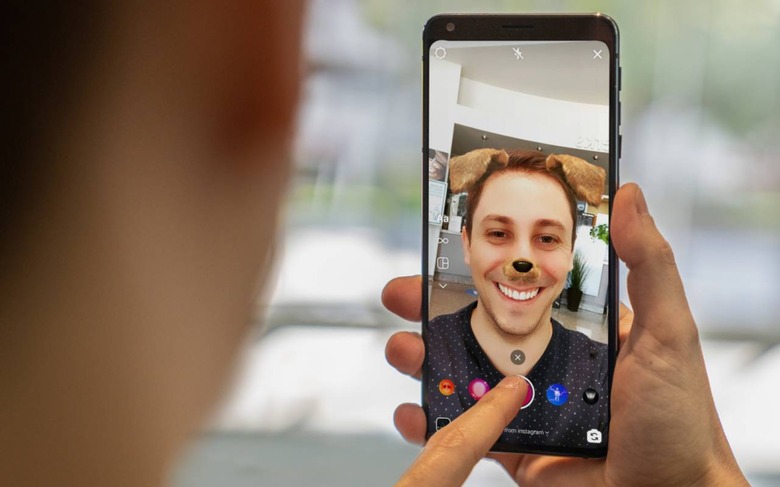
Enhances an object through overlays such as filters, mainly used for entertainment purposes. Majority of social media apps use superimposition AR such as snapchat filters allowing to enhance a selfie through animated overlays.
Applications/Purpose of Augmented Reality
Entertainment
AR is widely used for entertainment purposes as through its technology developers can create games such as Pokémon Go, and use superimposition-based AR to incorporate filters and features like face swap, providing social media users with fun activities.
Education
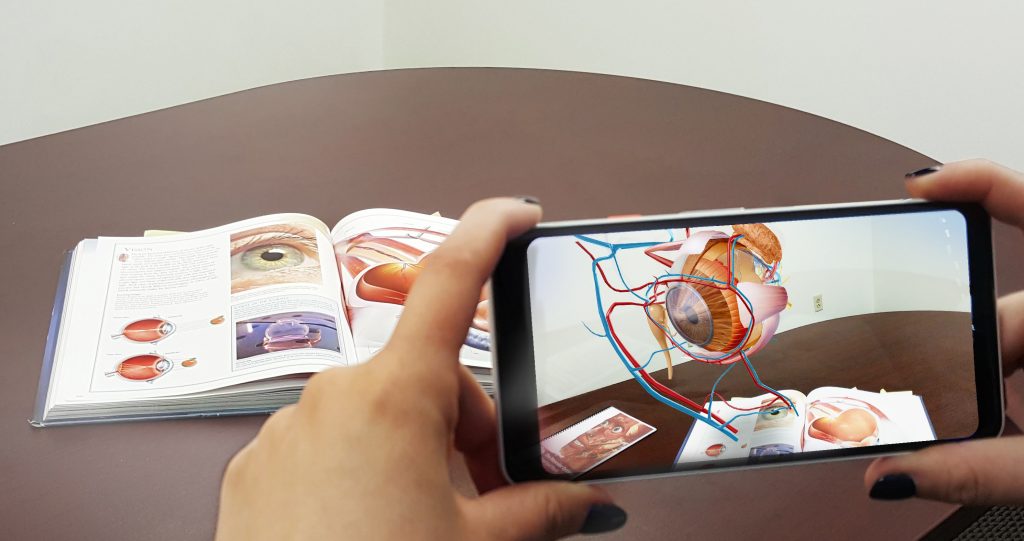
Schools and Colleges use AR to provide a more engaging learning environment as students can access model animations from textbooks bringing images to life which enhances the overall learning experience as it gives more realism seeing animated models rather than basic textbook images of non-animated models.
Essential tools
Augmented Reality is mainly known for it’s influence on useful real-life inventions such as the GPS and Google maps that uses location-based AR to guide users through real-time environment as they’re trying to reach a destination, with user experience features like distance measurements and highlighted pathways making it easier to navigate users
Businesses
Businesses such as retail shops and car showrooms use AR to market their products through their simple user experience features that attract customers. The use of QR codes can take users to where they want to go searching for a product within seconds, and the Ikea app allows users to plan and ‘draft’ furniture placements through projection-based AR enhancing the overall user experience.
Project Plan
After conducting in depth research on the different areas of Augmented Reality, I’ve got some rough ideas for my project which are projection-based AR projects where users can simply activate the visuals through their smartphone camera.
Project Idea: Creating an Augmented Reality poster
This project idea revolves around bringing still art to life in an animated form using Adobe Aero. Augmented Reality posters are commonly used for marketing purposes, the flashy transitions make the still images stand out more essentially capturing the public’s eye.
As good as they look visually, there is more purpose behind AR posters than just looking aesthetically pleasing on the eye. AR posters provide users with an immersive and more of an engaging experience allowing users to interact with still images such as posters and billboards rather than just visually intake the information like they do with majority of classical non-AR posters.
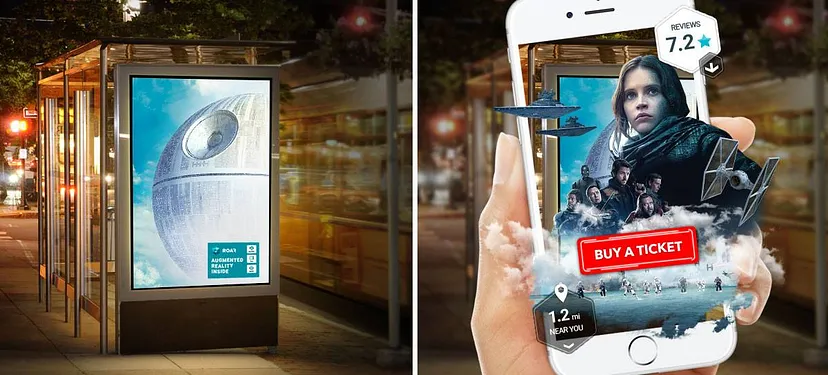
Here is an example of effective AR poster which provides effective user-experience as users can scan the movie poster and engage with the poster by purchasing movie tickets through a pop up ‘Buy a ticket’ interactive button as Augmented Reality also provides additional information such as the distance to the cinema and movie ratings. This poster essentially ticks off all the necessary user-experience aspects, as it considers users curiosity and provides them with solutions as well as looking aesthetically pleasing on the eye.
To elaborate, users who are new to the town might come across the movie poster but not know where the cinema is located. The AR technology easily solves the problem by providing quick directions essentially a GPS feature incorporated into the movie poster.
AR poster ideas
I’m split between two ideas for an Augmented Reality poster, either showcasing a sports advert or a drink advert through Augmented Reality posters that includes animation. However, I might create both and showcase a series of Augmented Reality posters in my design portfolio from a variety of themes. On the other hand, if there is success from one of the idea projects, I might consider sticking to one single theme and create a series of posters revolving around it.
AR sports poster
One of the approaches I have in mind is creating a sports poster based around a football club incorporating interactive features that target the public to support the team by purchasing the tickets through AR technology. I am planning to incorporate a variety of assets that make up the overall poster, firstly I’m going to include a cut out image of a player of the football team who is going to be the main subject, surrounding the player I’ll incorporate various graphical assets that will pop out as an animation once the AR is activated. I’m planning to incorporate elements such as slogans that could potentially be animated through transitions to enhance the visual. In addition, I’m considering importing a moving image visual of the main subject as they could be introducing a slogan or an AR link using gestures such as pointing, this enhances user experience as the animation engages with the users effectively. It can make users feel important as the message portrayed through the poster is clearly directed at them in a persuading manner.
AR drink brand posters
Similarly to the sports poster idea, I’m considering taking the same approach but for a series of juice advert posters. I’m planning to incorporate AR through an animated visual of the drink being poured into a cup as I’m planning to imbed animated visuals such as oranges being sliced or appearing in some creative manner representing the making of the product. Text visuals can also be incorporated to enhance the marketing aspect such as portraying the benefits of the drink, I would take the same approach for other flavours and essentially have a series of AR posters with each representing a different flavour of the drink.
Approach
I’ll firstly begin by looking at series of sports posters for inspiration and how they are presented visually, however, I’ll attempt to add something unique to my visuals using design concepts I’ve come across by browsing through relevant posters and animations.
I would then construct a rough storyboard, that could potentially change through the development of the project where I might add or remove assets to my work. As research never stops when designing, there is always room for improvement.
After having a clear idea of what I want my poster to be, and a rough storyboard I can follow. I’d create a still image-based poster in photoshop including assets such as the cut out of my main subject, text and other additional graphical assets that will enhance the design visually and creatively.
I would then import the finalised poster into Adobe Aero where I can begin the process of bringing the still image-based poster to life, laying the foundations of interactivity and animation. This will be done by essentially recreating the poster by overlaying the elements I want to be animated as the AR poster is triggered. To elaborate, if I want the text to pop out or have some other type of transition on it, I’d re-create the text and have it overlay the original motionless poster, I’d then use the ‘behaviors’ option that allows me to incorporate triggers where I’m able to trigger the text layer to rise upwards from the anchor point, establishing a pop out effect from the final piece point of view. If I want assets to completely pop out of the poster, that are not visible in the original artwork. I would position the asset layer beneath the poster and then apply a time framed trigger depending on when I want the asset to pop out from the poster. Some animated assets can be created in Adobe After Effects, especially if they’re advanced, which I can then import an animated gif created in After Effects into an Adobe Aero project.
Concept Storyboard/Mockups
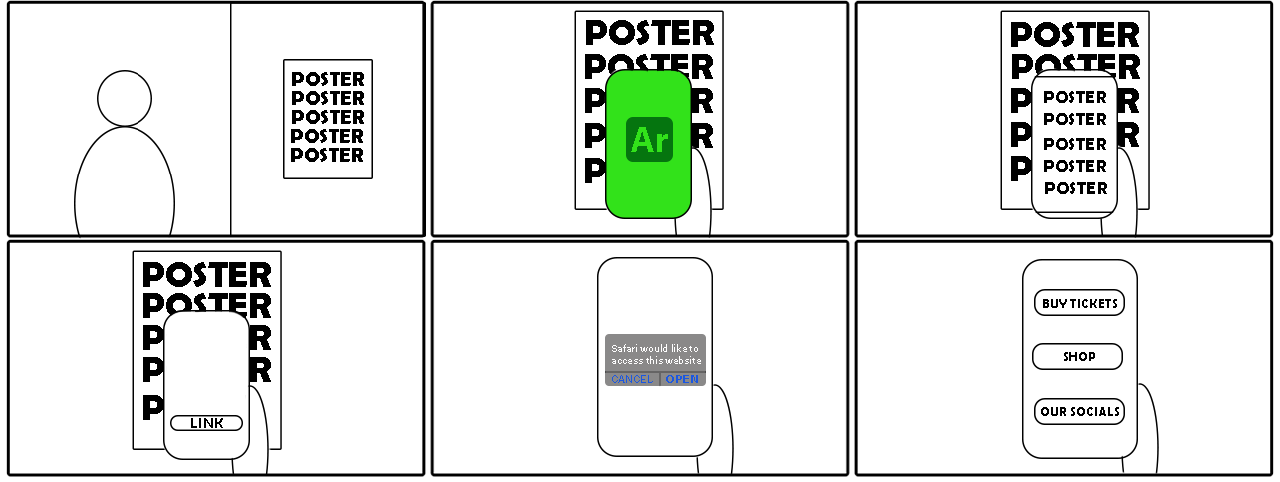
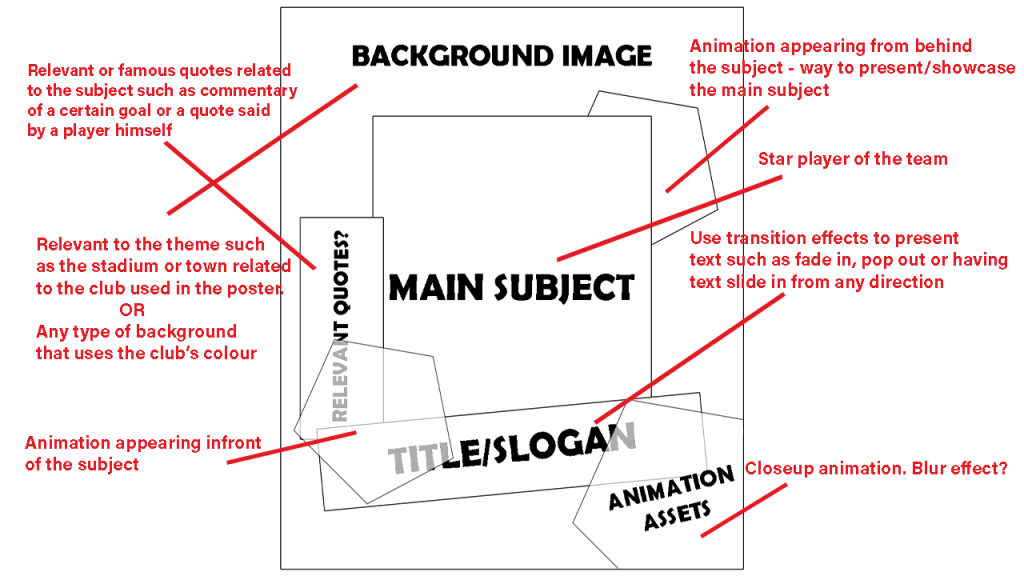
This is a very simple storyboard I have created in Photoshop that guides you through the user journey of my Augmented Reality project. These AR posters will be constructed through Adobe Aero therefore users will have to download the app on their smartphone which allows them to access interactive features. Adobe Aero uses a camera feature that allows users to pan the camera across the poster, Adobe Aero will then recognise the AR poster if it was created in Adobe Aero as interactive features would be automatically triggered such as a pop-up link that users can interact with, which allows them to visit a website relevant to the poster. Smartphone search engines such as safari may ask for your permission to open the website embedded in the AR poster, mainly for security reasons as users can accidentally click the link.
I created a rough mock-up of the sport poster focusing on the basics such as composition as I’m laying out the building blocks of where each design component will be placed on the image. As it’s the early stages of my project, I’ve included components that I will incorporate that I will develop throughout the course of my development process undertaking further research and experimentation.
Finalised Idea
Despite talking about a drinks brand poster, I’m most likely going to undertake the sports poster idea where I construct a series of Augmented Reality posters revolving around premier league clubs portraying a unique animation for each club as it guides users to the designated club’s official website through a pop-up link feature.
For each poster, I’m going to include a player as the main subject that represents the club surrounded by animations based off the club’s logo design that conveys the club’s identity. As each premier league club has their own unique badge, each animation will be different. Posters composition and functions are going to be the same and consistent throughout each poster, the details that will make each poster different and unique is the club identity which is presented through colour, logos and specific players.
Milestones