Lab Exercises: Exploring Emerging Technologies and Immersive Design
Prototyping immersive experience
In this first exercise of the emerging tech module, I’m introduced to incorporating 360 3D animation using softwares such as Maya or Blender. However, before constructing an immersive experience design piece it is important to understand the consideration you should take when creating something of immersive reality.
What is immersive experience
Immersive experience is essentially being in an artificial environment that makes the human brain trick itself into experiencing the emotion of something ‘real’ when in reality it is a constructed artificial environment made to seem ‘real’ for users essentially being a placebo effect, with VR being the obvious example. The power and facilities of modern technology is so advanced to the point of constructing presence through technology.
Pro’s and Con’s of VR
As exciting and useful as VR can be, at the same time there is controversy surrounding it. One of the main global concerns about VR is related to the employment factor, as there are concerns about VR potentially replacing jobs executed by humans which are mainly going to be manual jobs such as factories as VR may not be as advanced or appropriate to replace jobs that require crucial decision making and critical thinking, essentially being high at risk.
However, there are many benefits as well that VR brings to the table. As VR may be at risk of replacing jobs on the other hand it has the potential to enhance working experience within workplaces. As mentioned previously, it is mainly manual jobs that are at high risk of replacing jobs executed by humans however office jobs could thrive under VR.
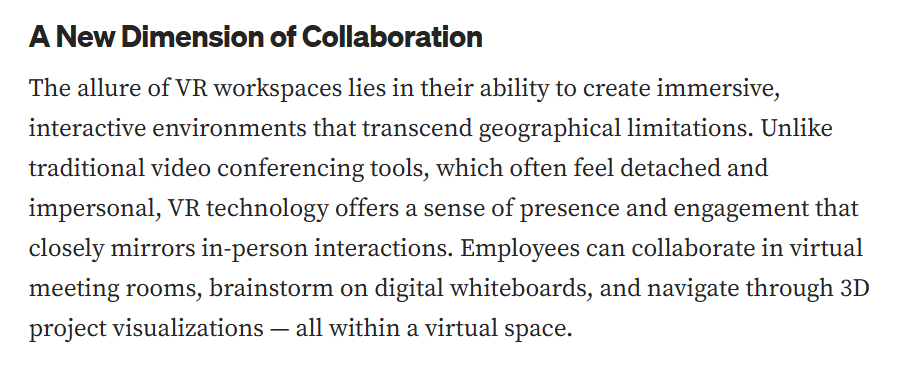
I’ve found an article that talks about the rise of virtual reality workspaces as it states the powerful VR features incorporated in workplaces and how the employees can use these VR tools to their advantage. As you could see from the article, VR offers a variety of UX features for employees to feel less detached from reality when working or having remote meetings, linking back to the placebo effect of immersive reality it makes the employees feel like they’re contributing to in person meetings whilst being at home through the powerful tools of virtual reality.
Undertaking the exercise
Going back to the first exercise of this module, I’ve attempted to create an immersive 3D reality scene through Blender that can be used as a 360 scene using previous knowledge of the software and incorporating immersive reality principles that I’ve learnt so far.
Before creating my scene, I’ve constructed a rough storyboard which can be a useful planning tool when it comes to designing your scene in a 360 degree form. Aspects such as lighting, colour and audio are considered within the planning stage as we’re essentially trying to construct a scene as close to reality as possible aiming to provide an ‘immersive reality’ experience for the users, and these three aspects play a key role in achieving this.
I then proceeded to bring the rough storyboard sketches to life in blender by creating a virtual 3D city through the use of basic components of a typical city such as buildings, roads and trees. The aspect of colour played a key role in showcasing a realistic scene as the green grass and blue fountain water with grey buildings makes it easily identifiable.
I’ve successfully managed to construct a moving image 360 3D scene of a city, I didn’t want to overcomplicate my scene in this exercise as I’ve used basic rectangle shapes for buildings and cone shapes to construct the trees. The scene essentially portrays an evolution of the city with the buildings rising from the ground, this type of 360 3D content can be used in video games were certain objects or characters rise from the ground or even educational content such as showcasing statistics through a bar chart.
Here is an example of a scene constructed in Blender that uses the same transition idea of the blocks rising from the ground to paint a picture/story.
Immersive user experience (UX) and Augmented reality (AR)
In the second exercise of this module, I’m introduced to AR in other words Augmented Reality. There are similarities between AR and VR as they both incorporate virtual environment through user experience but in their unique way. As we know VR is an immersive 3D simulated environment. However AR uses existing environment with a combination of virtual information so essentially, it’s not a fully simulated experience like VR can be.
How AR is used as a tool
Majority of the population uses AR as a tool to go about their everyday lives, one of the most advanced and useful tool creations for the society has come through the use of AR being the GPS, as it uses AR to provide drivers with an accurate visual representation of their surrounding locations in real time through a screen.
AR technology is built in everyone’s smart phones as it’s used within essential smart phone features such as google maps, practically providing same features a GPS would through visual representation as majority of people use their smartphones as a GPS these days. Providing features such as arrows popping out on the screen directing users which turn to take in real time. Furthermore, the colour theory is incorporated in google maps through AR by showcasing users how congested the traffic is on certain roads in real time through colour as congested roads will appear in amber or red depending on how busy the street is. Through this AR feature users can avoid traffic by taking different routes, this being said, the AR technology is advanced enough to provide users with the quickest route available in no time, meaning users don’t need to worry about looking for a brand new route especially in surroundings they’re not familiar with and instead the advanced technology of AR does the job for them.
As useful of a tool it is, AR is also used for entertainment purposes and is commonly integrated in games, one of the prime examples being ‘Pokémon Go’ which has been one of the biggest releases in the history of mobile games in 2016, it was extremely successful due to the effective use of augmented reality features making players step outside to capture in game rewards all through a simple, real time based map, essentially being google maps in a game format with the popular theme of historic Pokémon franchise. This made it unique compared to most games through the social element of it forcing players to step outside and even collab with other players.
Marker based & Non marker based AR
There are different types of AR, with marker-based AR providing users with clear indicators ensuring stability such as QR codes which are frequently used by various industries and companies. QR codes are simple displays that are triggered by smartphone cameras where a link appears on a smartphone screen making information accessible through your device all through a simple marker display created through AR technology.
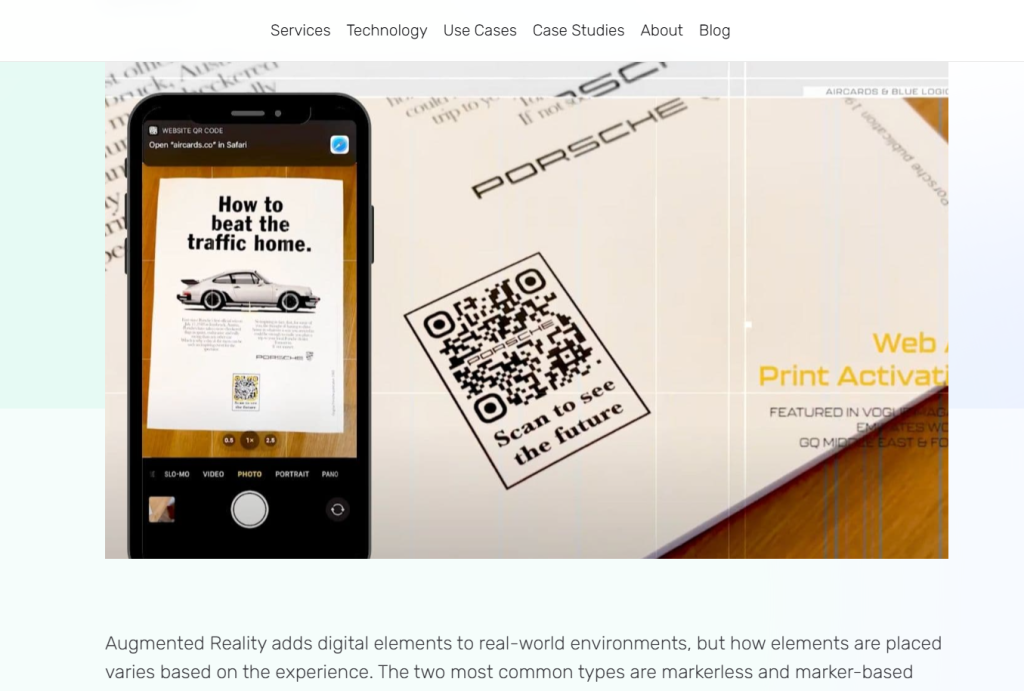
For example, car brands use marker-based AR through their QR code display available to access through leaflets or online as you can see through this article, it uses an image of Porsche’s leaflet that includes a QR code which showcases a link to one of their website landing pages, however the most fascinating detail in this AR experience is that it makes you view the transformation by hovering over the leaflet. Despite not having the actual leaflet, I could still gain access, as long as the QR code is there to be triggered which is why marker-based AR is so effective.
Whereas, non-marker based AR is simply the opposite of marker-based AR where it doesn’t require an indicator such as a QR code to trigger an AR system prime examples being Pokémon Go and Google maps. In this case, this is where non-marker based AR gains advantage over a marker-based AR as it’s simpler to activate without needing an indicator to trigger the AR technology.
Undertaking the exercise
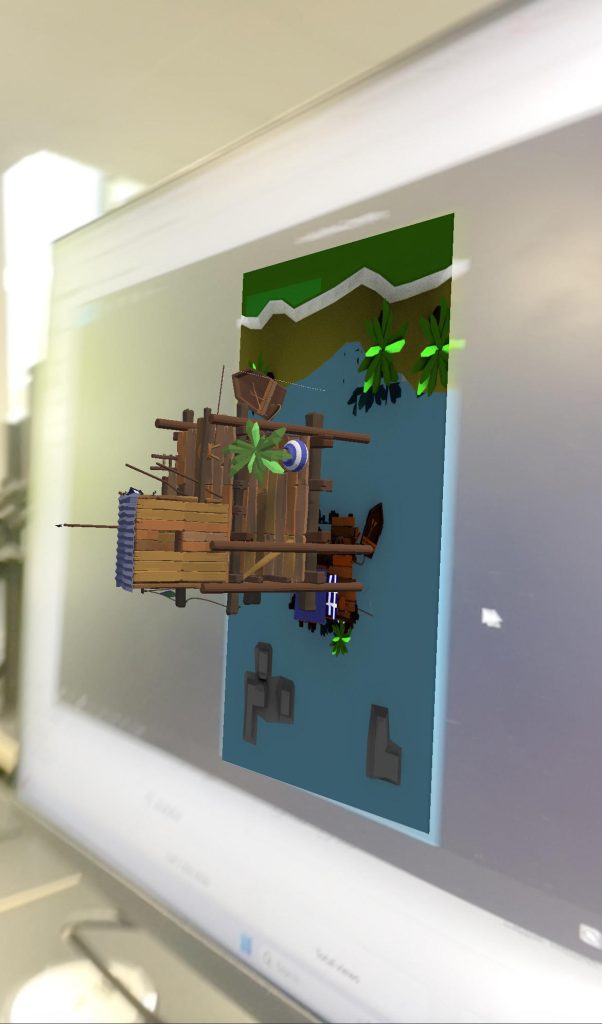
In this exercise, I’ve successfully managed to create a basic AR design using Unity and Zapworks. I’ve used Unity which is a software that allows you to create a real time 3D scene in a way similar to Blender and Maya however it’s used to create actual interactive games which can be incorporated through immersive reality experience.
In this exercise I’ve used a package scene found in a downloaded assets folder that I’ve imported into Unity as I’ve followed the steps to bring the design in Unity into an AR creation using image tracker, essentially brining my creation to life as it pops out of the screen in a 3D form on a smartphone camera once I’ve scanned the AR code that I’ve linked my creation with through Zapworks.
VR immersive art
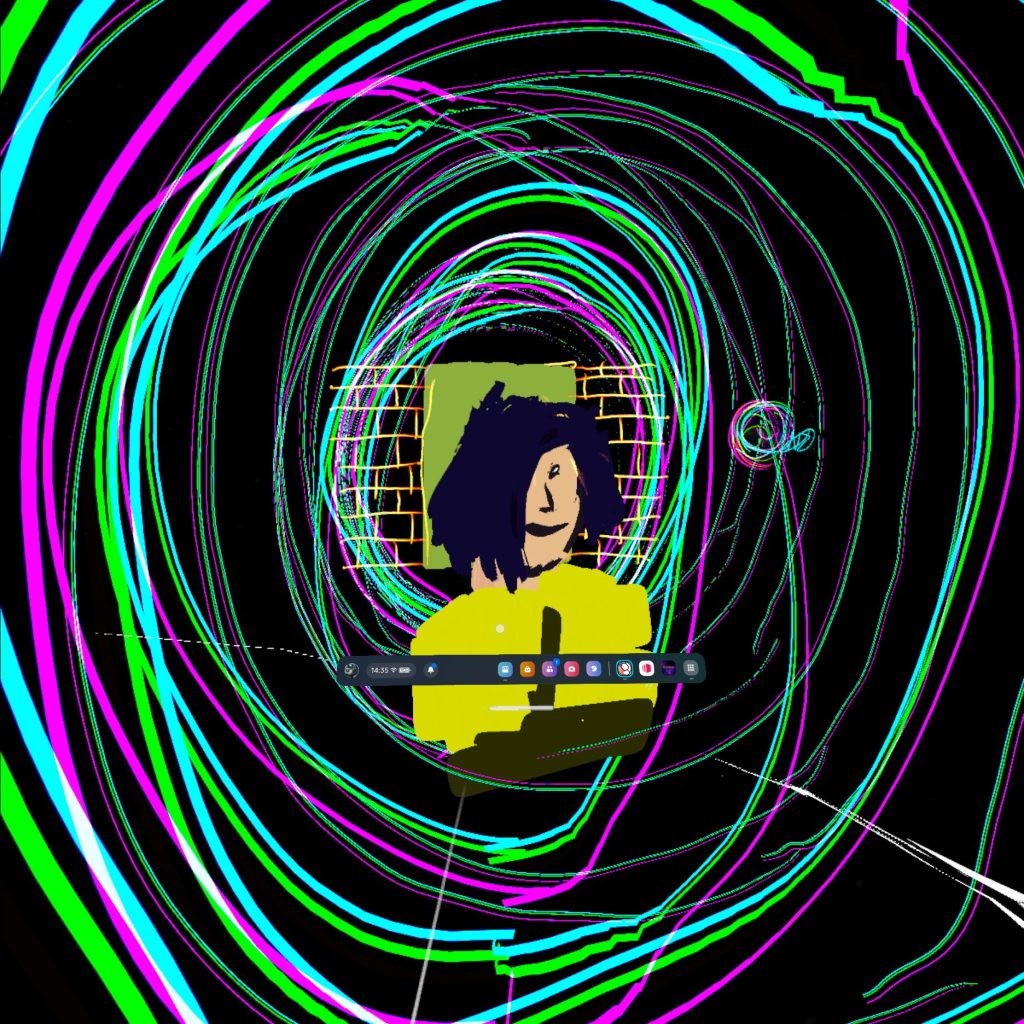
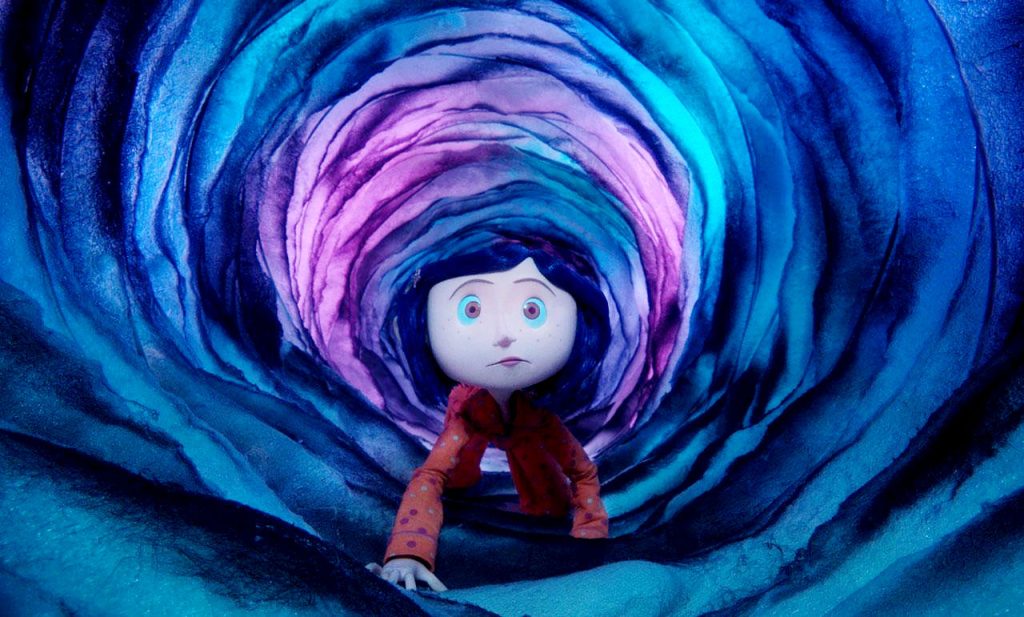
Lastly, I explored the art side of VR which delves into various XR softwares such as Open Brush, Gravity Sketch, shapes XR and Adobe Aero. As a group we firstly experimented with open brush by deciding to focus our creation on recreating a well-known scene from Coraline where she is presented crawling in a glowing tunnel, we as a group thought this is a perfect scene to recreate in Open Brush as all of us can simply illustrate a series of circles representing the glowing tunnel which we have achieved whilst experimenting with different colours. None of us are advanced VR artists therefore we kept the mini project idea simple and do-able to our ability as this session was more about trying out new softwares and reflecting on the experience.
VR art can be used as a tool to create 3D characters for films or videogames for example, Gravity Sketch VR allows illustrators to design characters through a controller and an XR headset. It allows users to develop 3D designs through features such as detailed resizing enhancing 3D modelling experience providing users to showcase their creativity in a smooth, simple manner.
However, VR art also comes with difficulties from the technical side especially for those new to the software. Users can face difficulties with the perspective of the scene where 3D models can be out of frame by appearing too large or appear too small, this is where users have to be considerate when it comes to the placement and positioning of their 3D model designs.
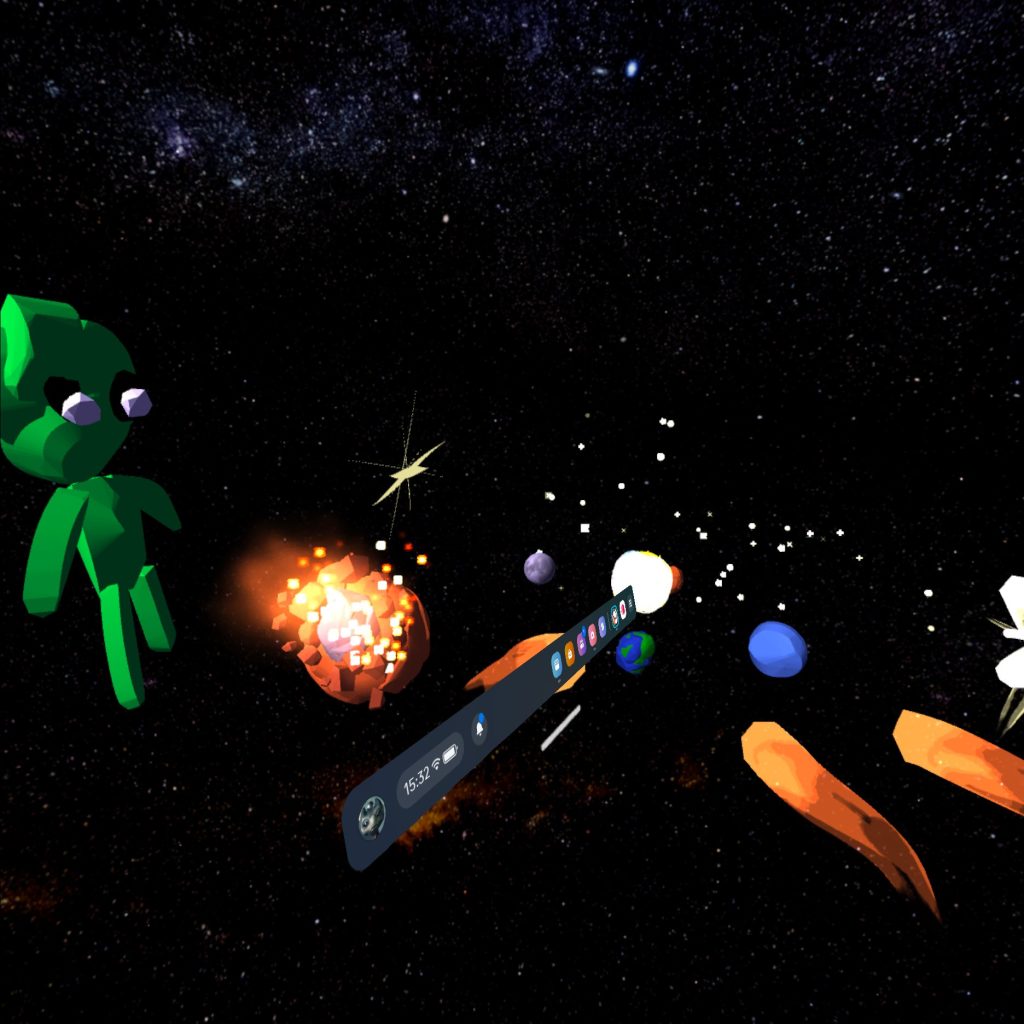
We then as a group decided to create another scene in Open Brush after getting familiar with the basics of the software. We decided to create a solar system scene as each of us in the group took turns to add a creation to the scene such as planets and asteroids. We’ve used the background settings to set a space environment where we then successfully implemented 3D VR solar system models. As discussed before, technical difficulties such as scene perspective can be common when dealing with VR art, and we can see this through our project screenshots that some assets are slightly all over the place and can be spaced out better to showcase a clear solar system scene.
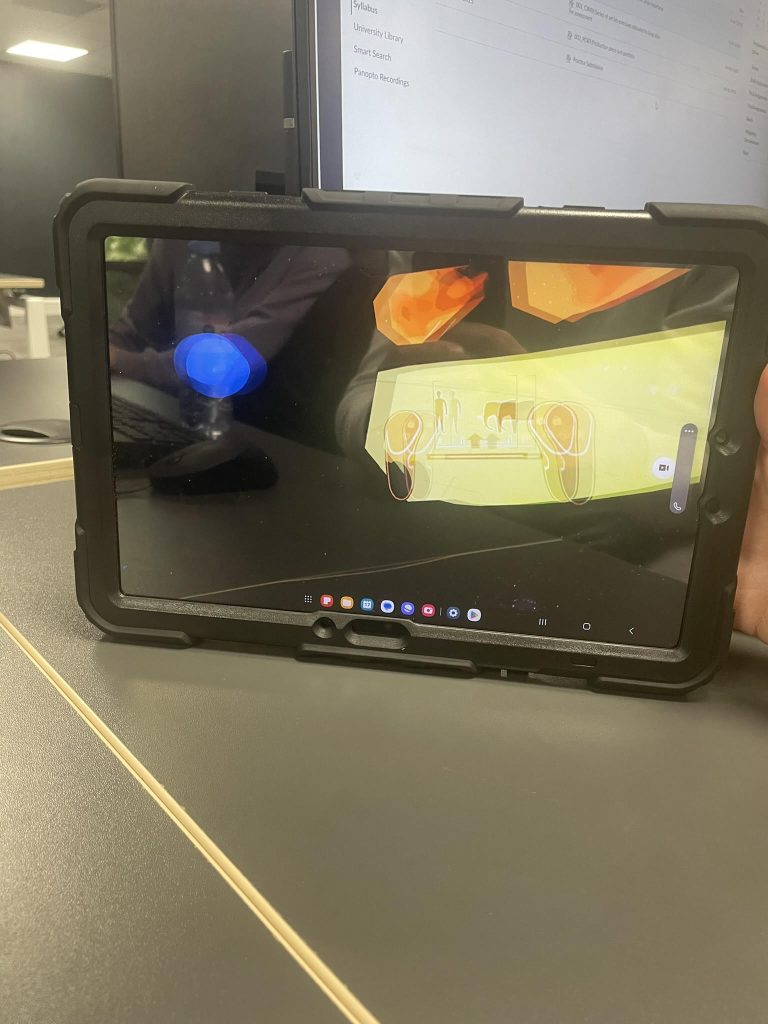
In addition, the rest of us could monitor the perspective of the other person actively using Open Brush through an iPad, this was useful in the group exercise as we could provide each other feedback whilst one of us is actively constructing something in Open Brush.
Adobe Aero
In the same session I then explored a software of Adobe Aero that allows you to create an immersive reality through AR using real time locations. Adobe Aero has a similar interface to Adobe Substance Stager providing users with series of 3D shapes and objects they can drag and drop into the scene. However, I’ve used the location anchor for this exercise that allows me to explore detailed map view of the world in a 3D format just like Google Earth, I’m then able to drop an object in any existing location, which I’ve done by placing a 3D model of a t-rex on the university of Hull campus. Once I was happy with my scene, I’m able to share it as a link with a QR code is provided. Once the QR code is triggered with my smart phone camera, I would pan around my camera as the t-rex object appears in my set location. As discussed before, this type of AR technology has been used to create popular games such as Pokémon Go that rely on real time location to function, essentially providing users with a real time immersive experience.